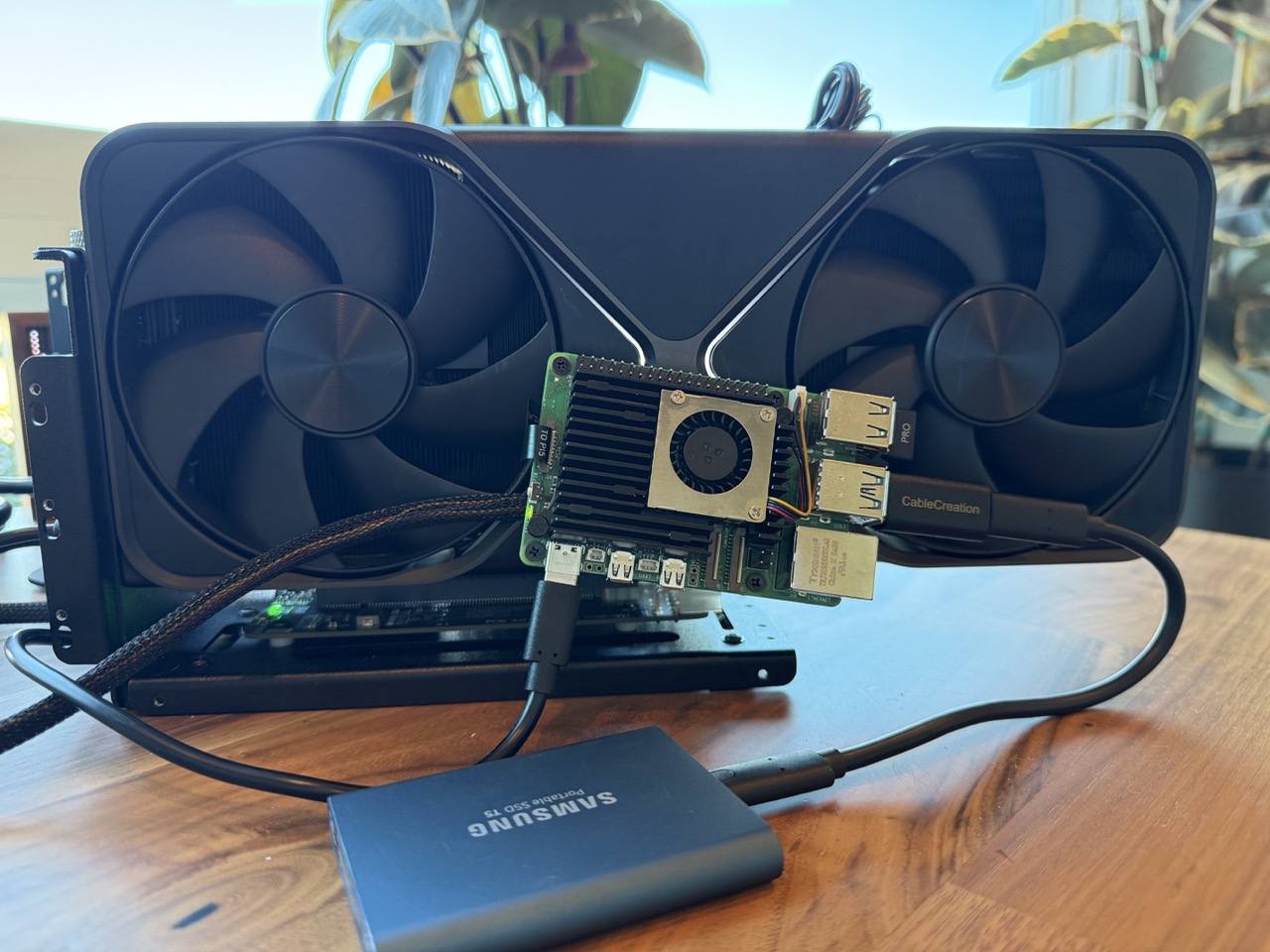
It turns out, you can attach an external GPU to a Raspberry Pi 5. So my natural first question is, can I game on it? Let’s try it out and compare it with some similar computers.
For the showdown of crappy gaming computers, we’ll see which of these handles gaming best:
Beelink MINI-S13
- CPU: 4-core Intel N150 @ 3.6GHz
- RAM: 16GB DDR4
- PCIe: M.2 Gen3 x4


More powerful than the Raspberry Pi 5, but at a similar price point. It also has a potential advantage for running games, since it’s not ARM-based.
In the photo, you can see the default configuration (SSD in the fast PCIe slot). For this experiment, I’ll move it into the slower (x1) slot and plug the eGPU into the faster (x4) slot.
Radxa ROCK 5B
- CPU: 8-core RK3588 (4× Cortex-A76 @ 2.4GHz + 4× Cortex-A55 @ 1.8GHz)
- RAM: 16GB DDR4
- PCIe: M.2 Gen3 x4
- Also: Aftermarket heat sink & fan combo


Pretty comparable to the Raspberry Pi 5 (it’s ARM), but the extra cores give it a little more horsepower. The faster PCIe slot is also included on-board. Since the PCIe slot will be taken for the GPU, we’ll just use a USB SSD for both ARM boards.
Raspberry Pi 5
- CPU: 4-core BCM2712 (Cortex-A76 @ 2.4GHz)
- RAM: 16GB DDR4
- PCIe: M.2 Gen2 x1 (via NVme HAT)
- Also: Aftermarket heat sink & fan combo


This is why we’re all here. It’s the quintessential hobbyist SBC. Unfortunately it’s the most challenged: fewer cores, and significantly less PCIe bandwidth. The Pi 5’s Gen2 x1 slot provides ~500 MB/s, compared to ~4,000 MB/s on the Gen3 x4 slots of the other machines, an 8x difference.
eGPU
We will be using a relatively inexpensive OCuLink dock to pair with our very expensive GPU. If you’re not familiar with the technology, it’s basically a PCIe extension cord to let you plug a graphics card into a computer that wouldn’t normally fit one. The dock is powered externally by a separate power supply.
For this experiment, we’re using an NVIDIA RTX 5090 Founders Edition (32GB VRAM).
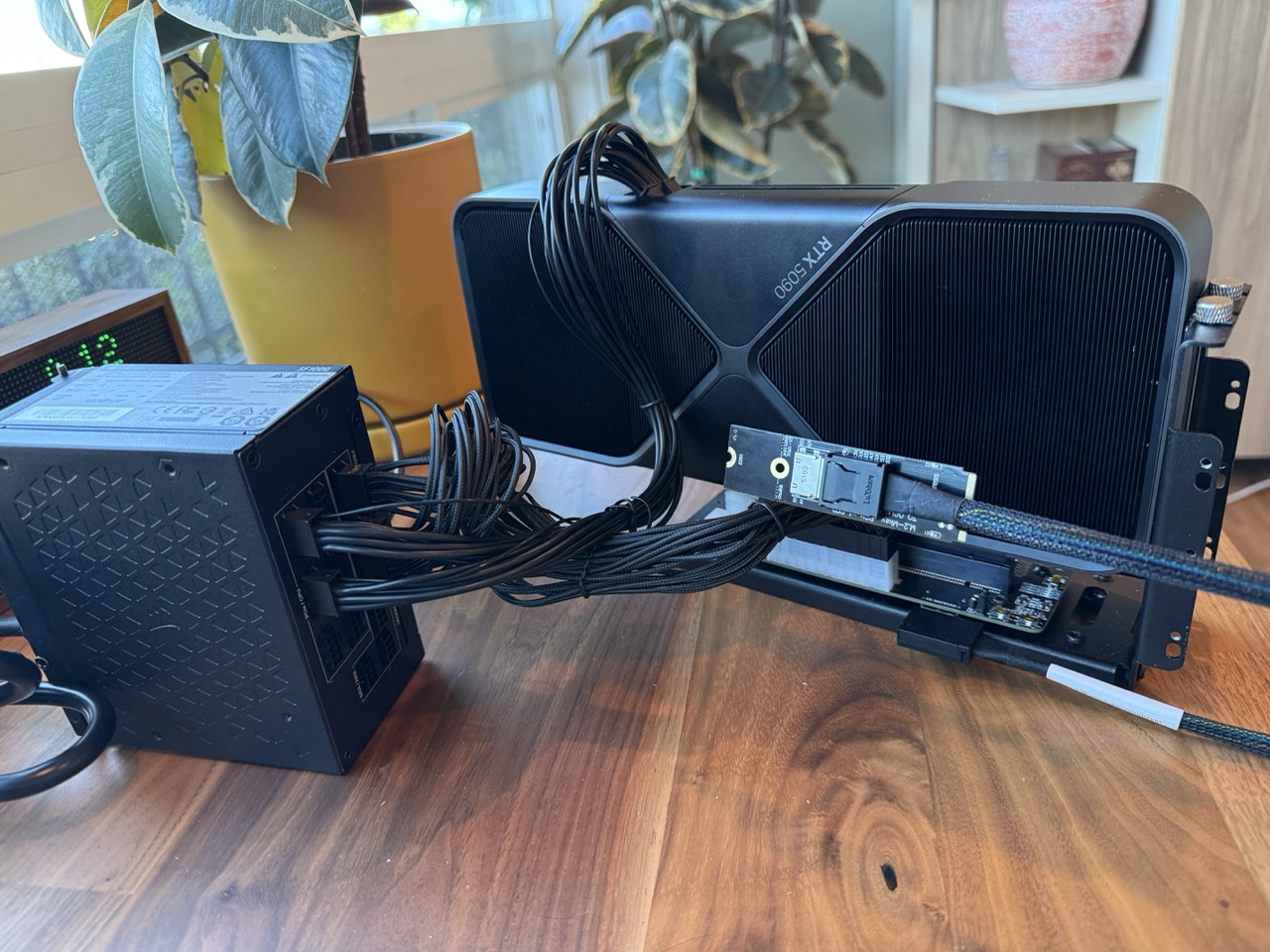
The OCuLink cable plugs into an M.2 card that we’ll insert into each machine as we test it.
On the Intel-based Beelink machine, from a software perspective the card is more or less indistinguishable from a normal graphics card. We can just install the normal NVIDIA drivers.
The ARM-based computers we’re testing have various quirks (lack of DMA coherence, memory alignment requirements, etc.) that make them incompatible with most GPU drivers out of the box. Luckily, @mariobalanca wrote some patches that allow the drivers to work on these systems. NVIDIA already had some workarounds in the user-space part of their drivers for Ampere-based systems for memory alignment issues, so some of that gets inherited here.
I have packaged the drivers you can run on Ubuntu or Fedora here, if you’d like to try this yourself.
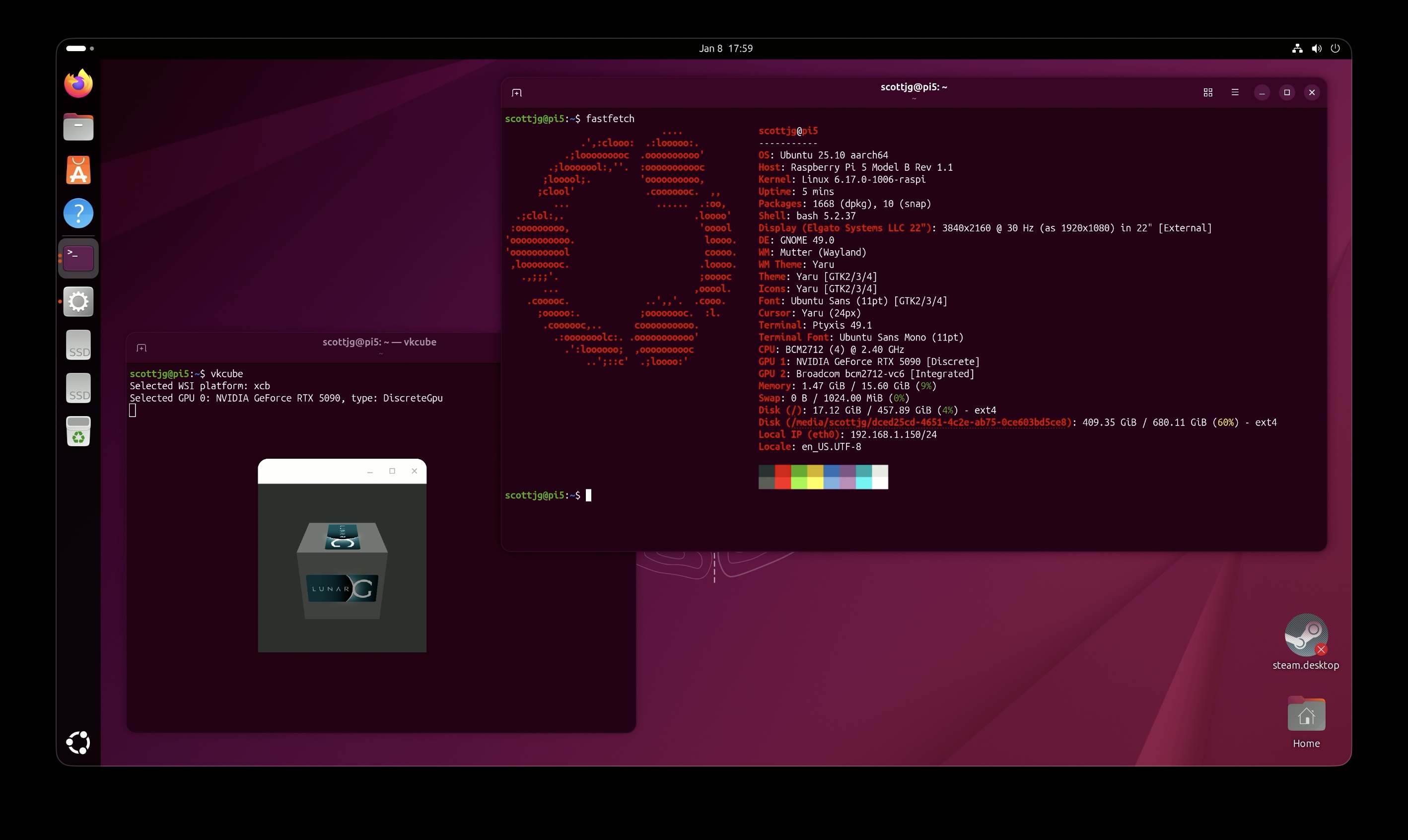
If you’ve gotten this far and simply don’t believe this actually works, here’s a screenshot:
CPU Performance
Before we get into the games, let’s take a look at how these machines compare.
Most PC games are designed for Intel CPUs. If we want to play them on ARM we’ll have to use a compatibility layer called FEX. The graph shows not only the native performance of the machines, but also the significantly degraded performance under FEX. To be fair, FEX is an incredible feat of engineering, but all emulation comes at a cost.
The Raspberry Pi 5 under FEX seems to have similar performance to a 2008 Intel Core 2 Quad Q9650. Not very promising. That said, gamers usually say that, for most games, it’s OK to skimp on CPU a bit as long as you have a good GPU. We will definitely be testing that line of thinking.
Games
I tried to find games that had built-in benchmarks that also worked under FEX, along with Steam’s Proton compatibility layer, tilting towards games that didn’t have as strong CPU requirements. It turns out this is actually not a huge list. Here are a handful that I tried:
Cyberpunk 2077 (2020)
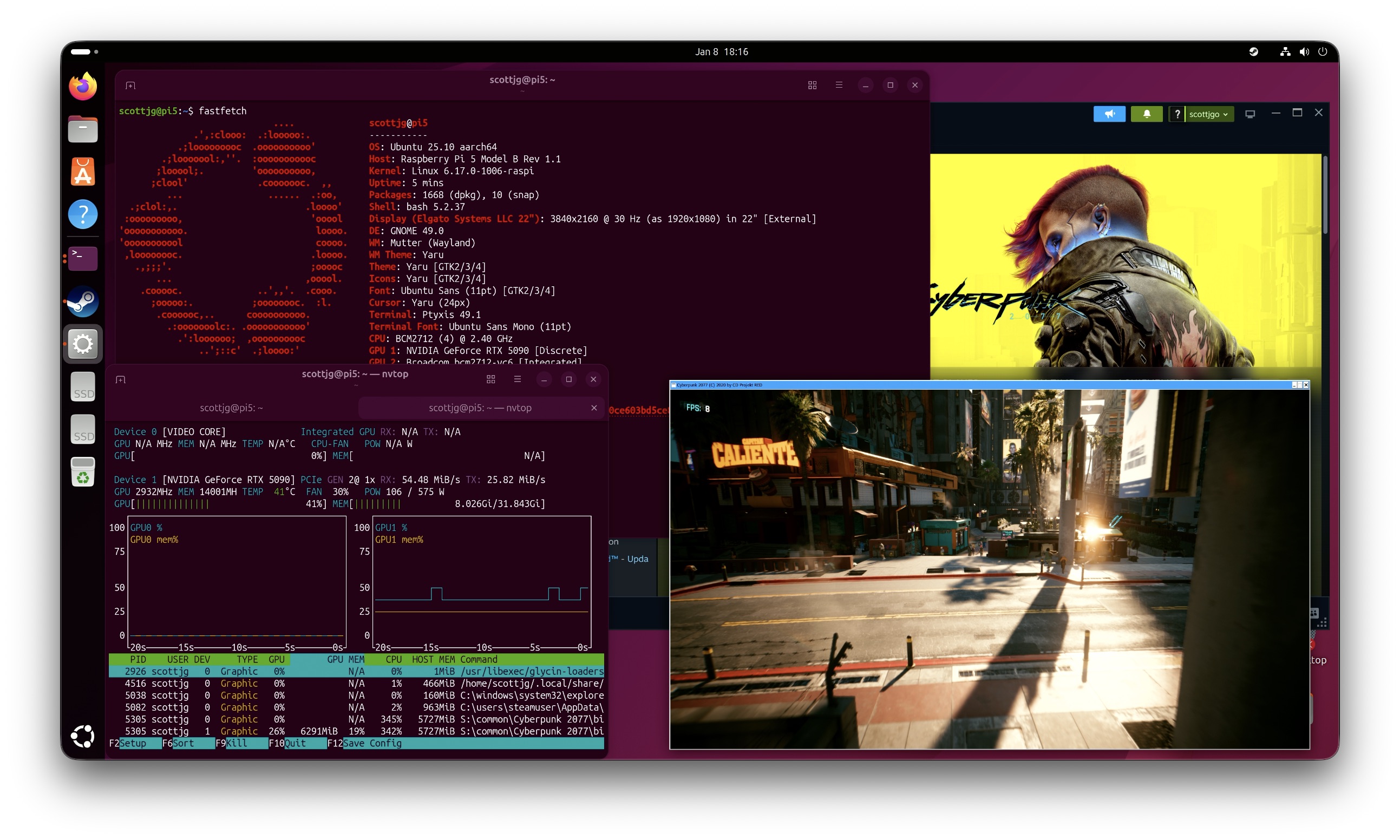
Yes, believe it or not, vkcube is not the only thing you can run in this configuration. Through the maze of compatibility layers (FEX, WINE/Proton, DXVK, etc), you too can run Cyberpunk 2077 on your Raspberry Pi 5. The screenshot above is running at 1080p with Ultra Raytracing quality settings.
The game is playable on the Beelink machine with some lower settings. Since it’s an Intel machine, I also tested the game on Windows for posterity. Usually it’s suggested that even with all the compatibility layers, Linux gaming can be faster, but not in this case on the lower settings here.
These games really get CPU bound, caught up on these lower-spec CPUs. I think on a normal gaming PC, it wouldn’t matter as much, but every cycle starts to count here, and not all the abstractions provided by WINE are zero cost.
Unfortunately the Pi barely breaks 15 FPS, but on the ROCK 5B, it approaches playable on low settings. Granted, not sure how fun that would be at 22 FPS.
Doom: The Dark Ages (2025)
This game doesn’t run under FEX, so I didn’t collect full benchmarks here. The anti-cheat stuff is too weird and doesn’t get properly emulated.
However, the benchmark does offer a unique view into the challenges these low-power PCs face.
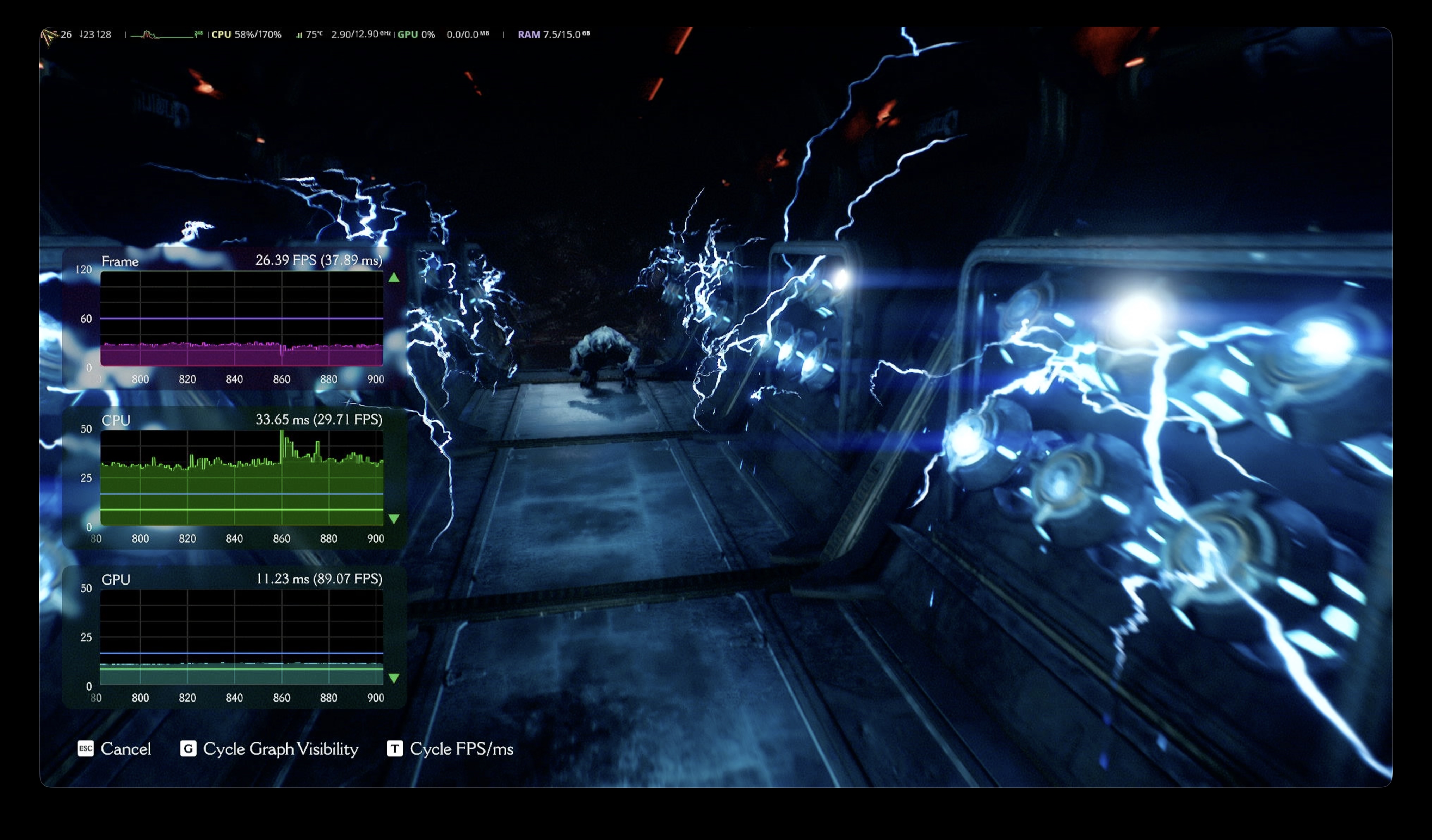
You can see it running on the Beelink here. The GPU is absolutely shredding through the Ultra quality frames at 4K resolution, but the CPU is really struggling. You can see the GPU is able to process almost 90 FPS, but because of the bottleneck at the CPU, the overall frame rate can’t break 30 FPS. That’s the main challenge here.
Alien: Isolation (2014)
My next thought was, maybe if we jump back a decade, we can have better luck. This game actually ships with a Linux port. Unfortunately the Linux port doesn’t include the built-in benchmark tool, so I ran it under Proton/WINE. I also found that DXVK caused every game from this point onward to crash immediately on the ARM hosts, so I run the games with PROTON_USE_WINED3D=1 to fall back to the OpenGL renderer.
For those unfamiliar: DXVK translates DirectX calls to Vulkan, while WineD3D translates them to OpenGL. The GPU driver, when running on ARM, has a Vulkan implementation that apparently has issues when running under FEX that OpenGL avoids. Something to keep in mind if you’re trying to replicate this.
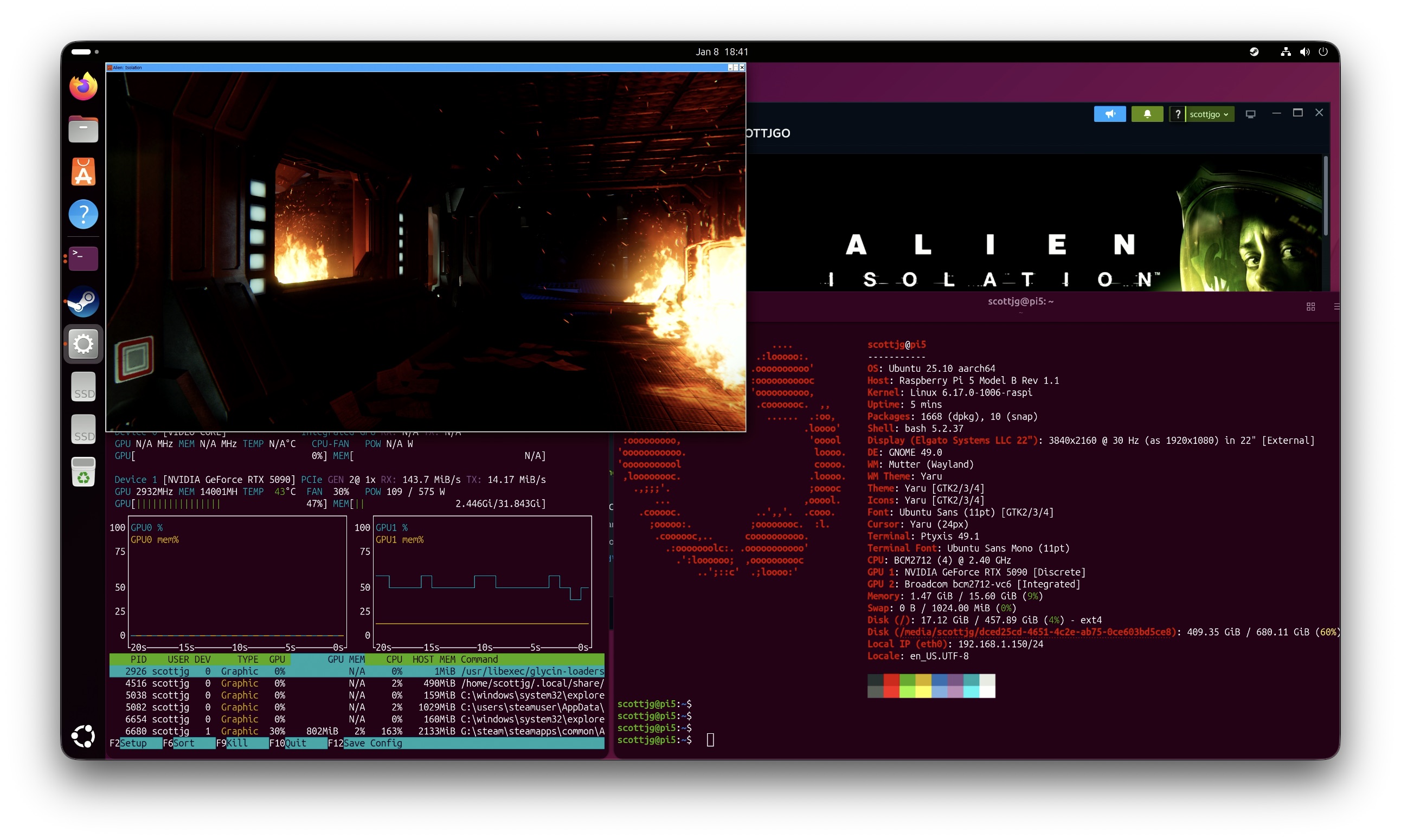
Honestly, not the best looking game by modern standards, even on Ultra settings. It does have some cool lighting effects, at least. I admit I have never played this game for real, so I can’t vouch for it being fun or not. I just ran the benchmark tool.
I initially tested this game on the Beelink and thought it looked promising. Relatively low CPU usage. It seems like it is playable on the ROCK 5B with an average 23 FPS. Not sure about the Pi though, at only 15 FPS.
Hitman: Absolution (2012)
OK, OK. So we already know the performance of the Pi is on par with a PC from 2008, so I figured, let’s go back a couple more years.

Couldn’t get the windowed mode to work right on this one, but I swear it’s running on the Raspberry Pi 5. You can probably tell from the FPS counter.
I would say the performance makes it basically unusable on these ARM machines.
That said, the Beelink really shines here. Windows perf is way ahead of Linux on this one too. More than playable on both, though.
I was actually a little puzzled by this one. It seems like it shouldn’t be this bad on the ARM hosts. This feels like a performance bug, but it’s hard to say where in the stack it might be. Oh well.
Just Cause 2 Demo (2010)
OK, so let’s go back another couple years. This demo was free, thankfully.
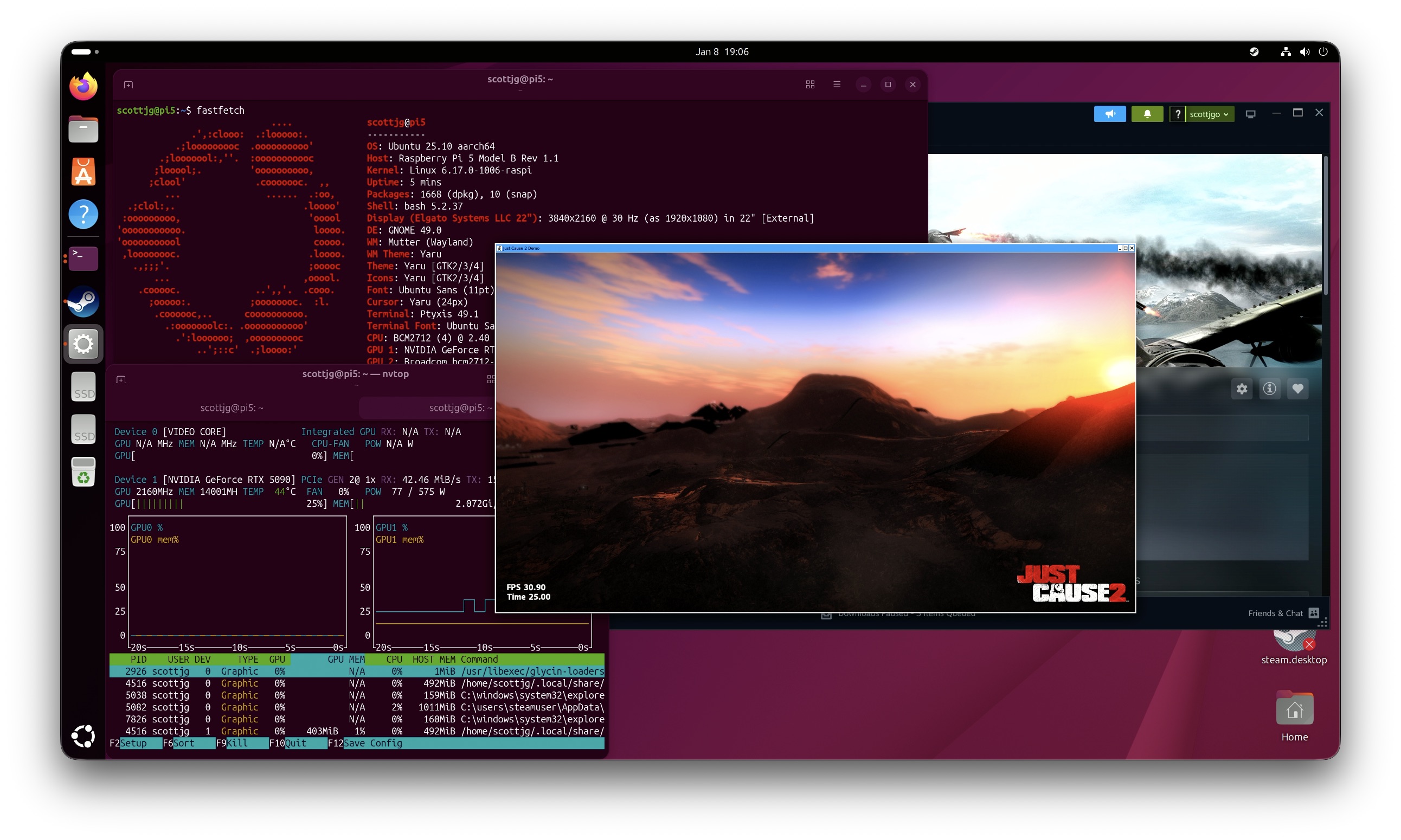
So remember earlier when I said I had to disable DXVK for these games to run on ARM? On Intel Windows, I had to actually add DXVK because the game crashed immediately on launch. Weird.
Nearly 40 FPS average on a Raspberry Pi 5. 2010 is our year! Windows still dominates here. It’s more apples-to-apples on Beelink’s Linux vs Windows now since now both are using DXVK.
Portal 2 (2011)
After I had run all of these, I was curious to try Portal 2. Valve is the company that maintains Proton and FEX. You’d think they maybe would have optimized it for their own games. It’s also old enough that it’s in the sweet spot of potentially being playable on the Pi.

Sadly, Portal 2 does not ship with a built-in benchmark. However, it does have a timedemo feature where you can record yourself playing and then play it back as a benchmark. I picked a random level and recorded it. Then, ran it on the test systems. Since there was a native version, I benchmarked that alongside the Proton/WINE version.
So, now that we have a native Linux port to compare with, it totally leaves Windows in the dust (finally). Most importantly, the Raspberry Pi 5 can play this game at 4K resolution, way above 60 FPS.
So I can now say with a straight face, that it’s possible to use the Raspberry Pi 5 to game in 4K, admittedly strapped to a GPU that’s roughly worth 10x the price of the Pi. In all seriousness, probably any lower-end GPU would work here. Clearly we’re not using the 5090 to its full potential anyway.
Power Usage
These machines are also known to be low power. I guess for a gaming computer, I’m not sure how important that is. You can just turn it off when you’re not using it. That said, a gaming PC CPU could use 20-50w while completely idle.
For these measurements I took the idle power usage and also average power usage during the Cyberpunk 4K Ultra Raytracing benchmark, both measured at the AC outlet. This does not include the GPU, just the CPU, since that’s what we’re really comparing here.
The Pi 5 sips power at under 9W even under load, while the Beelink pulls almost 30W during the benchmark. One way of looking at it, is that the Beelink performs so much faster in games, and the amount of power is proportional to that.
Another way to look at it, is if the ARM-based machines weren’t mired in emulating x86, they probably would have considerably better performance on per-watt basis compared to the Intel CPU.
Conclusion
So, can you game on a Raspberry Pi 5 with an RTX 5090? I guess, technically, yes. Would you want to? Probably not.
- Modern games (2020+): Most likely unplayable. The CPU perf degradation under FEX is brutal. Even playing on the lowest 720p settings, Cyberpunk barely hits 16 FPS average on the Pi 5.
- 2010-era games: If you’re trying to play older games, you can probably get away with it. You also probably do not need a graphics card as powerful as the 5090.
The Beelink is the clear winner if you actually want to game. It’s still terrible, but it’s cheap, runs x86 natively, and with the right settings, it can hit 50 FPS+ in every game I tried. Windows consistently outperformed Linux on most WINE/Proton titles, so you’re probably better off just installing Windows on it.
The ROCK 5B edges out the Raspberry Pi 5 slightly in most benchmarks, but not by much. The extra cores and PCIe bandwidth don’t seem to matter as much as the raw performance lost to FEX emulation. That said, it does bring the game from painfully playable to borderline playable in some games.
Given all the momentum around ARM (Valve is about to ship an ARM VR headset, and NVIDIA is rumored to ship their own SoC with an NVIDIA GPU soon), I think future platforms will probably be better optimized, and Linux gaming on ARM will probably be more plausible in the future. Sadly, I don’t recommend strapping your super expensive graphics card to a cheap SBC for now. Unless it’s just for a fun blog post.